Study Notebook for iPad
Study Sampler
Study notebook · Cornell notes, vocabulary, Chinese, Japanese, Korean, handwriting In Nokiro™ for iPad: real paper, real pens, pages that turn under your finger.
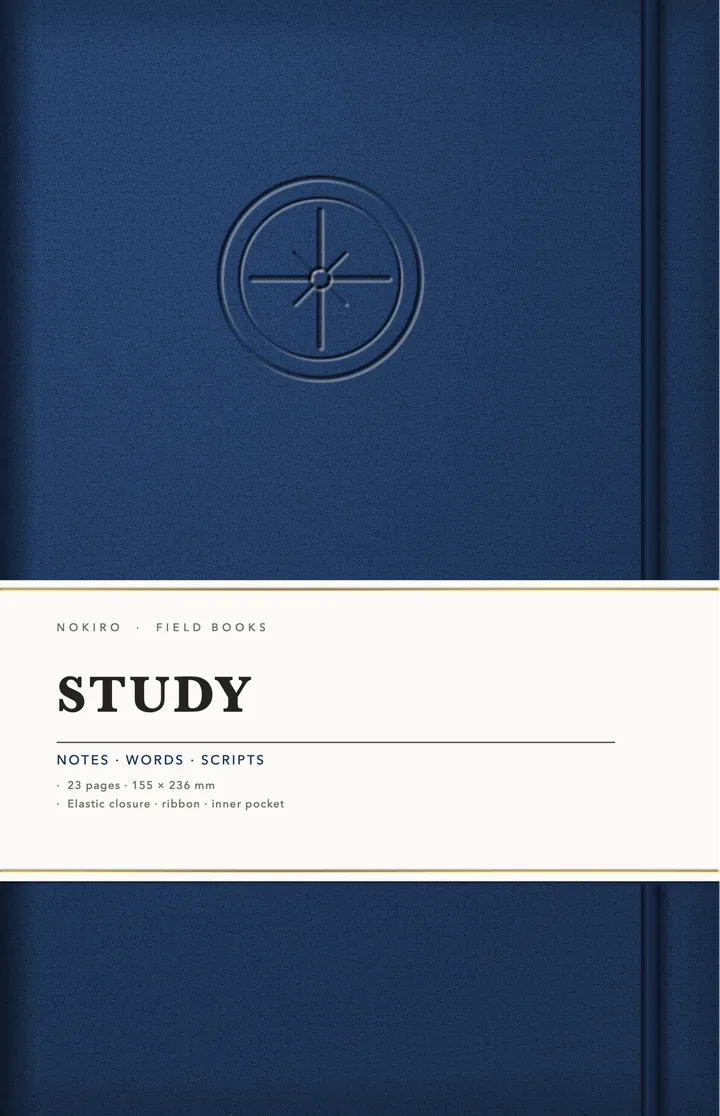
- For
- iPad
- Size
- 155 × 236 mm
- Pages
- 24 pages
- Inside
- Notes (4 pages) · Words (2 pages) · Chinese (5 pages) · Japanese (5 pages) · Korean (1 pages) · Handwriting (3 pages)
- Binding
- sewn
- Kind
- Study
- Covers
- Cornell notes and vocabulary pages
- Chinese tianzige, mizige and pinyin squares
- Japanese genkō yōshi and furigana
- Korean wongoji
Every page takes ink, stickers, photos and tape. Add Pages… brings in any page of the library, wherever you want it.
Inside Study Sampler
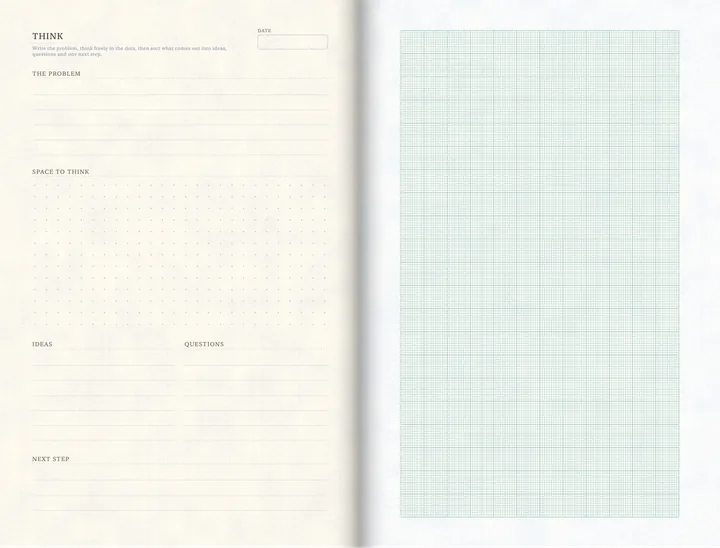
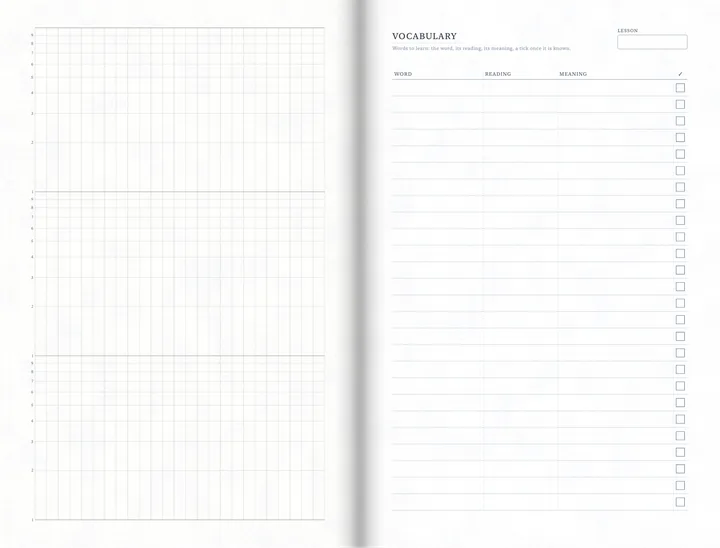
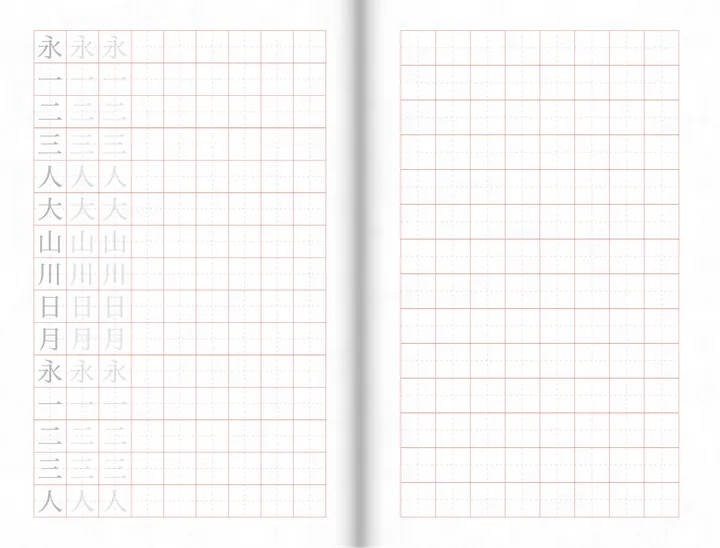
Why not just a PDF planner?
| What | A PDF in a note app | In Nokiro™ |
|---|---|---|
| Getting it | Buy it, download it, import it into a note app. | Catalog › Notebooks › New Notebook: it lands on your shelf with its cover. |
| The pages | A long PDF that scrolls, links to tap. | Pages that turn under your finger, real tabs, ribbons, a binding that opens like the real one. |
| Changing it | Fixed when it was exported. | Add Pages… brings any page of the library in, wherever you want; make your own sections. |
| What you write | Ink on a picture. | Read on your device: search your handwriting; on pages with fields, dates go to Calendar and totals add up. |
| Price | Often paid per planner. | Nokiro™ is free to download, with no account. |
Everything paper can’t do, in Nokiro™
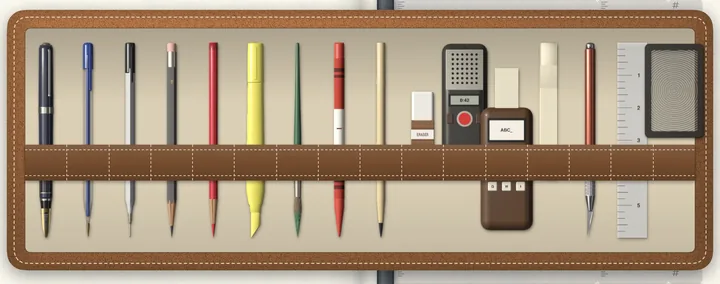
- Real pens, real paperFountain pen, fineliner, ballpoint, pencil grades, highlighters and a brush, with a finger or Apple Pencil.
- Real bindingsSewn, Wire-O, spiral, rings, staples, glued, discs. Each one opens like the real thing.
- A pocket full of stickersSticker sheets you peel one by one, washi tape, sticky notes and tabs, and your own photos cut out for you.
- Search your handwritingOn-device AI reads every page of every notebook, in the languages you write. Print Handwriting turns it into text and keeps your hand.
- A recorder that listensRecord, pause, carry on; the take lands on the page as a card you play. On-device AI transcribes it in your language, offline: nothing leaves your iPad or iPhone. Imports WAV, MP3, M4A, AIFF and CAF.
- A shelf of notebooksA diary, a planner, a recipe book. Each one keeps its own pages and its own things.
Start your Study Sampler
- Download Nokiro™ from the App Store.
- Tap Catalog, then Notebooks, and open “Study Sampler”.
- Tap New Notebook: it lands on your shelf with its cover.
- Tap the cover to open it, and write.
Questions about Study Sampler
What is the Study Sampler notebook?
A sewn notebook of 24 pages for iPad, made to look, turn and feel like the real one, in Nokiro™.
Can I add pages to Study Sampler?
Yes. Add Pages… brings any page of the library into it, wherever you want: weekly plans, trackers, maps, lists. New sections get their own tab.
Do I need an Apple Pencil?
No. Take a pen from the tray and your finger writes. Apple Pencil, when you have one, writes with pressure and tilt.
Is my notebook private?
Yes. No account and no tracking: your notebooks stay on your device. You send one only when you choose, as a PDF or a .folio file.
More answers in Support & FAQ, or see how it feels.


