Pocket Notebook for iPhone
Mini Grid
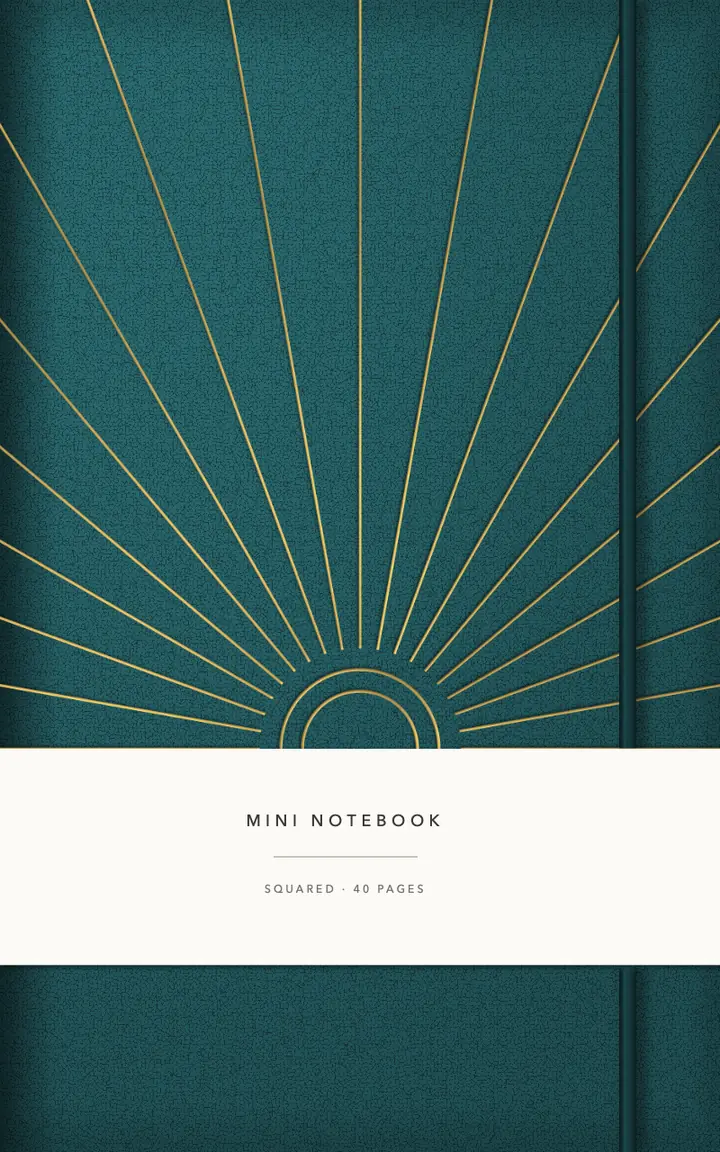
Mini notebook · squared pages, a gold foil cover In Nokiro™ for iPhone: real paper, real pens, pages that turn under your finger.
- For
- iPhone (a pocket mini that opens one page at a time)
- Size
- 90 × 140 mm
- Pages
- 40 pages
- Inside
- Notes (40 pages)
- Binding
- stapled
- Kind
- Mini
- Covers
- Squared 5 mm
- A gold foil sunrise on the cover
- Pocket size, 90 × 140 mm
- Stitched, lies flat in one hand
Every page takes ink, stickers, photos and tape. Add Pages… brings in any page of the library, wherever you want it.
Inside Mini Grid


Why not just a PDF planner?
| What | A PDF in a note app | In Nokiro™ |
|---|---|---|
| Getting it | Buy it, download it, import it into a note app. | Catalog › Notebooks › New Notebook: it lands on your shelf with its cover. |
| The pages | A long PDF that scrolls, links to tap. | Pages that turn under your finger, real tabs, ribbons, a binding that opens like the real one. |
| Changing it | Fixed when it was exported. | Add Pages… brings any page of the library in, wherever you want; make your own sections. |
| What you write | Ink on a picture. | Read on your device: search your handwriting; on pages with fields, dates go to Calendar and totals add up. |
| Price | Often paid per planner. | Nokiro™ is free to download, with no account. |
Everything paper can’t do, in Nokiro™
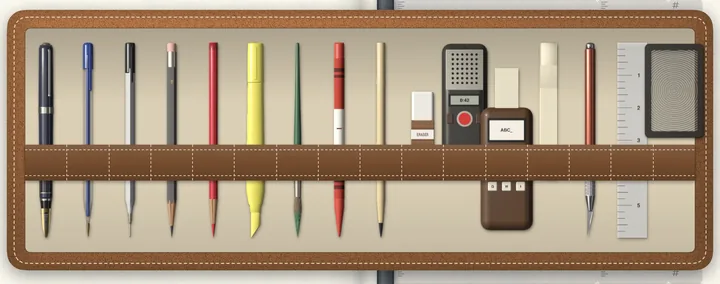
- Real pens, real paperFountain pen, fineliner, ballpoint, pencil grades, highlighters and a brush, with a finger or Apple Pencil.
- Real bindingsSewn, Wire-O, spiral, rings, staples, glued, discs. Each one opens like the real thing.
- A pocket full of stickersSticker sheets you peel one by one, washi tape, sticky notes and tabs, and your own photos cut out for you.
- Search your handwritingOn-device AI reads every page of every notebook, in the languages you write. Print Handwriting turns it into text and keeps your hand.
- A recorder that listensRecord, pause, carry on; the take lands on the page as a card you play. On-device AI transcribes it in your language, offline: nothing leaves your iPad or iPhone. Imports WAV, MP3, M4A, AIFF and CAF.
- A shelf of notebooksA diary, a planner, a recipe book. Each one keeps its own pages and its own things.
Start your Mini Grid
- Download Nokiro™ from the App Store.
- Tap Catalog, then Notebooks, and open “Mini Grid”.
- Tap New Notebook: it lands on your shelf with its cover.
- Tap the cover to open it, and write.
Questions about Mini Grid
What is the Mini Grid notebook?
A stapled notebook of 40 pages for iPhone, made to look, turn and feel like the real one, in Nokiro™.
Can I add pages to Mini Grid?
Yes. Add Pages… brings any page of the library into it, wherever you want: weekly plans, trackers, maps, lists. New sections get their own tab.
Do I need an Apple Pencil?
No. Take a pen from the tray and your finger writes. Apple Pencil, when you have one, writes with pressure and tilt.
Is my notebook private?
Yes. No account and no tracking: your notebooks stay on your device. You send one only when you choose, as a PDF or a .folio file.
More answers in Support & FAQ, or see how it feels.


